
Job Costing Payroll
Payroll That Follows the Job
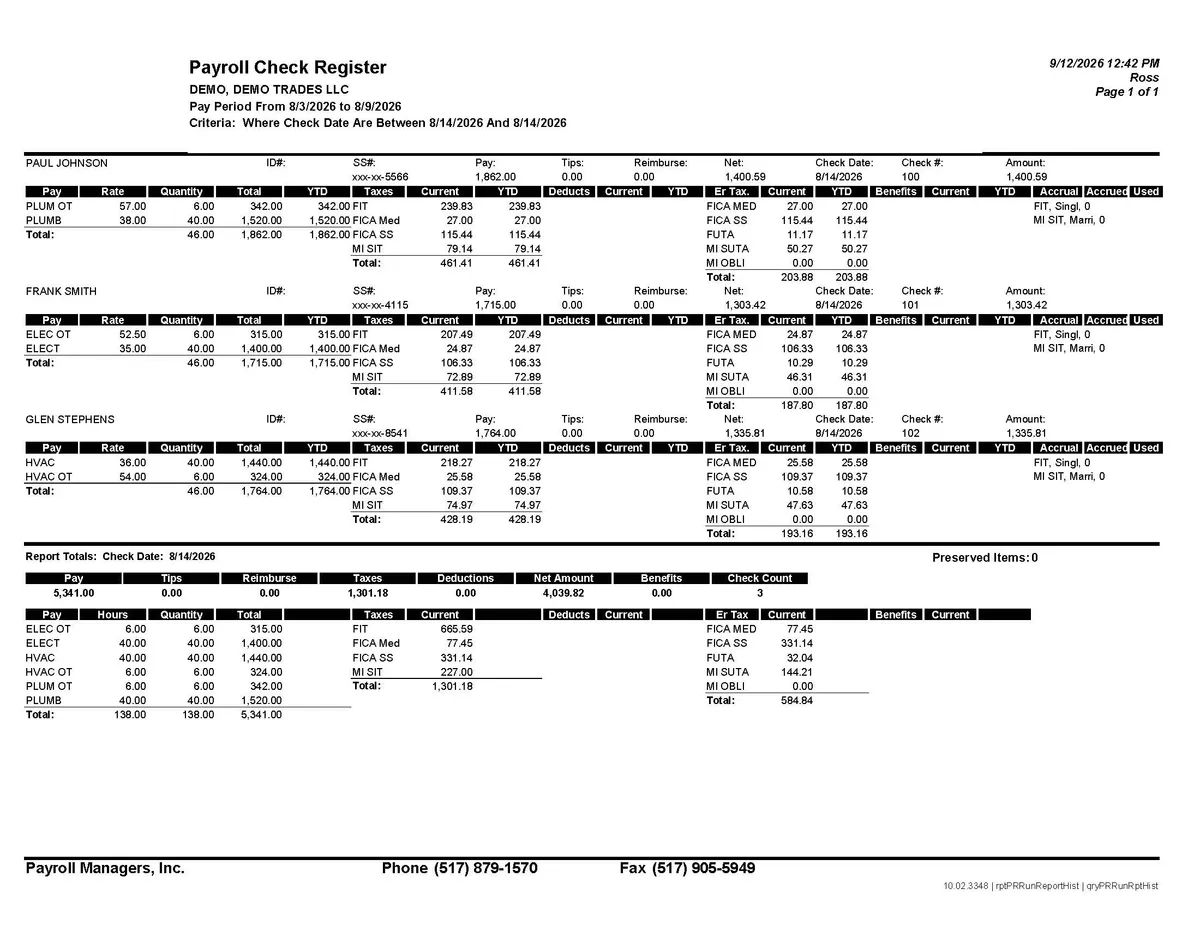
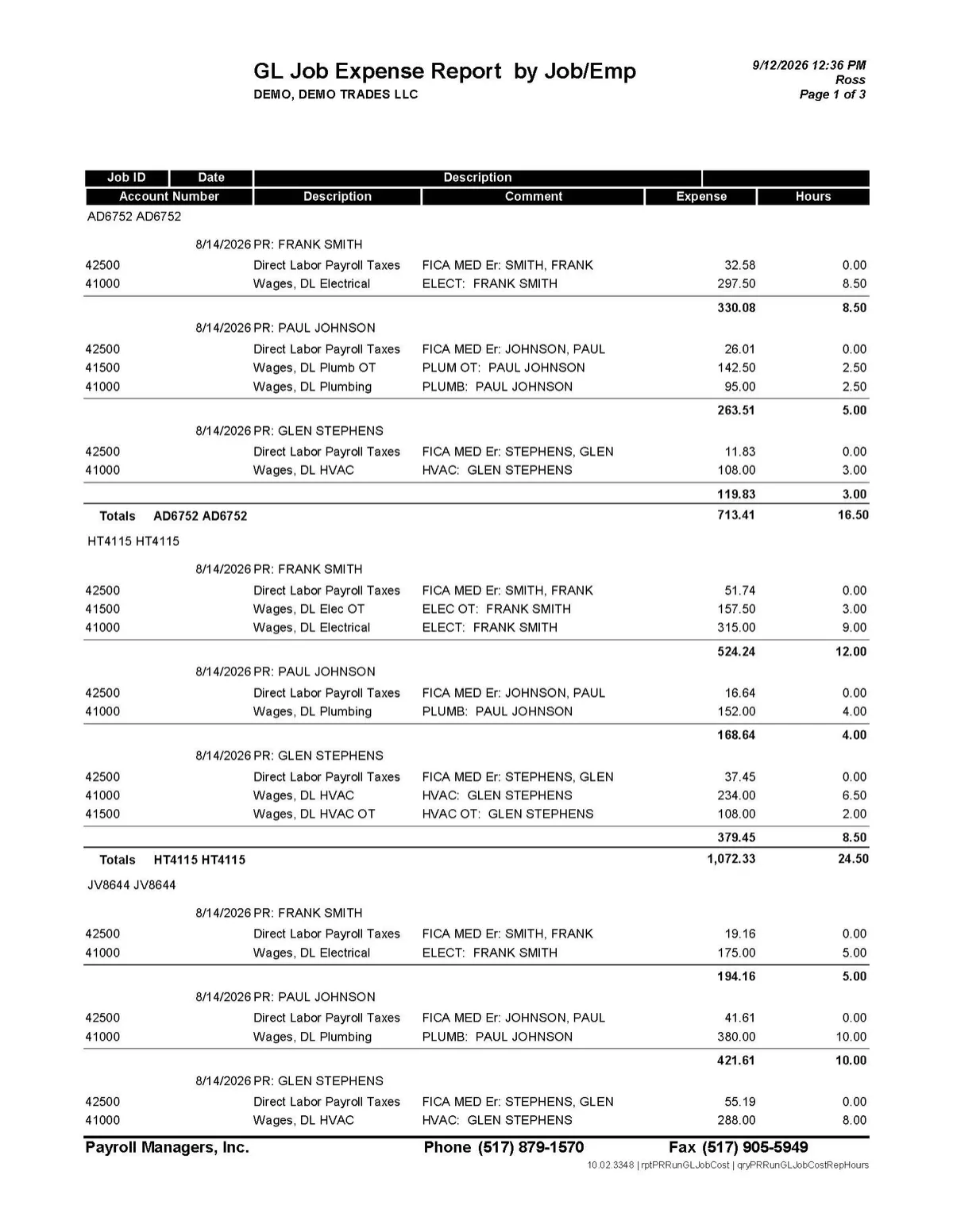
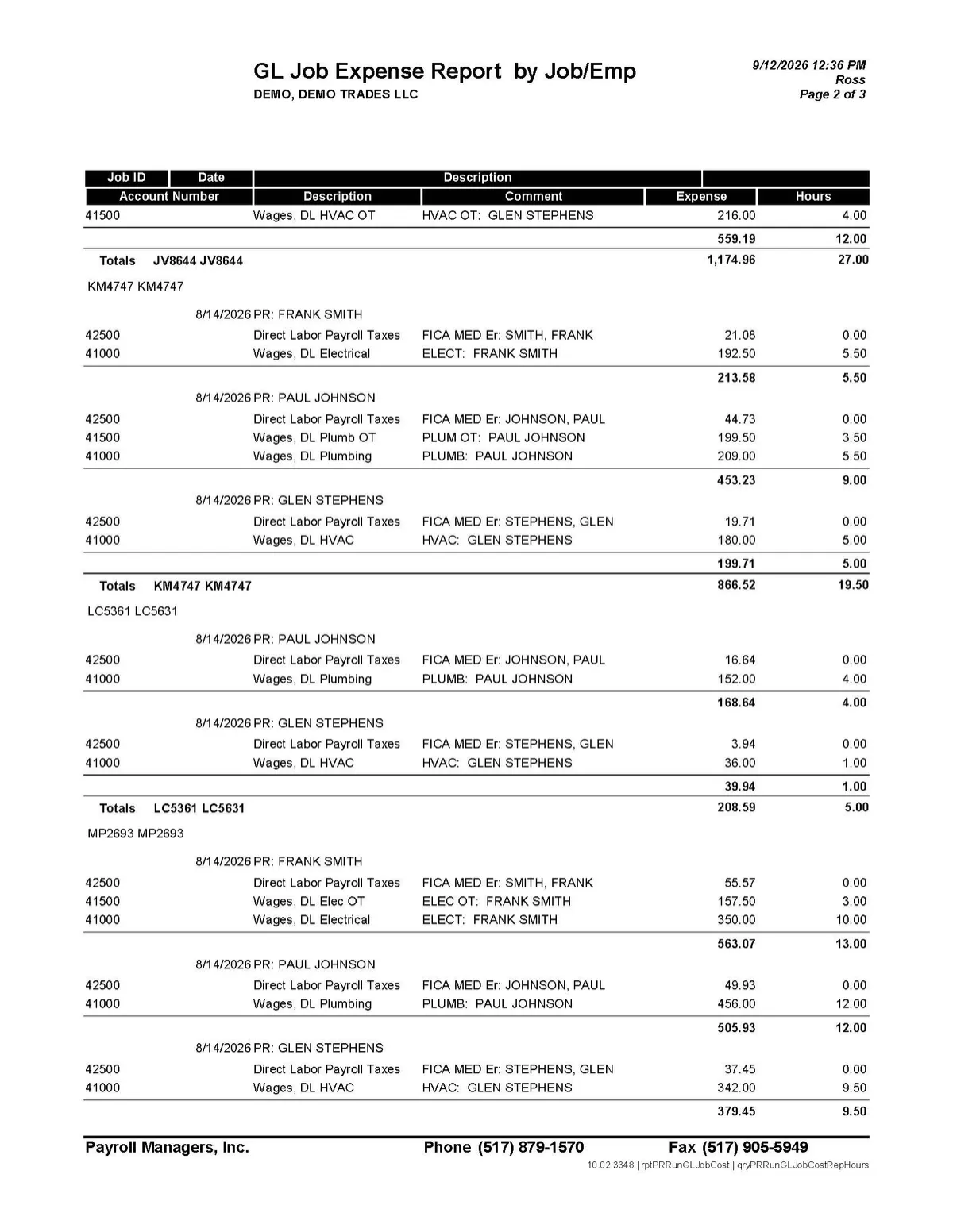
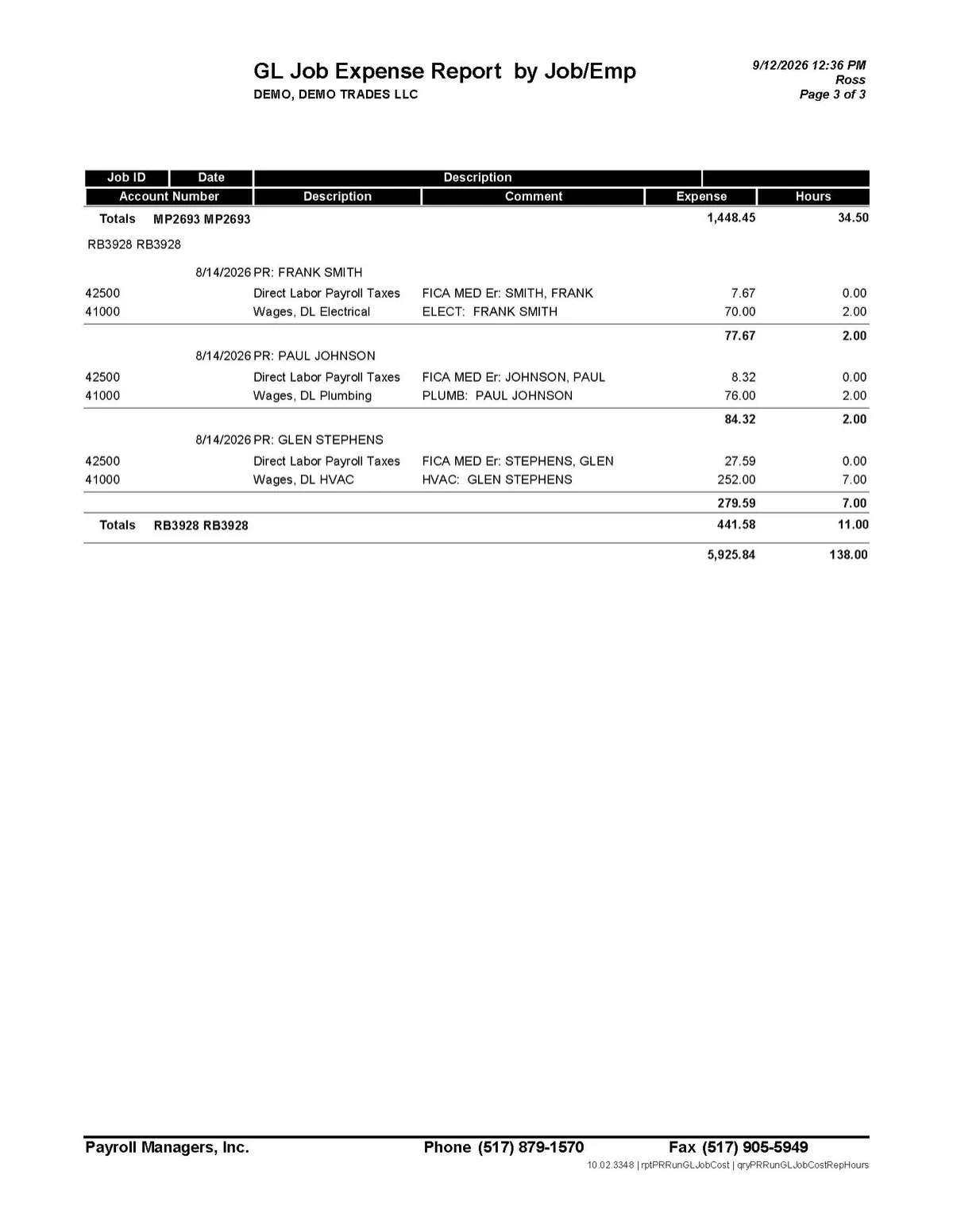
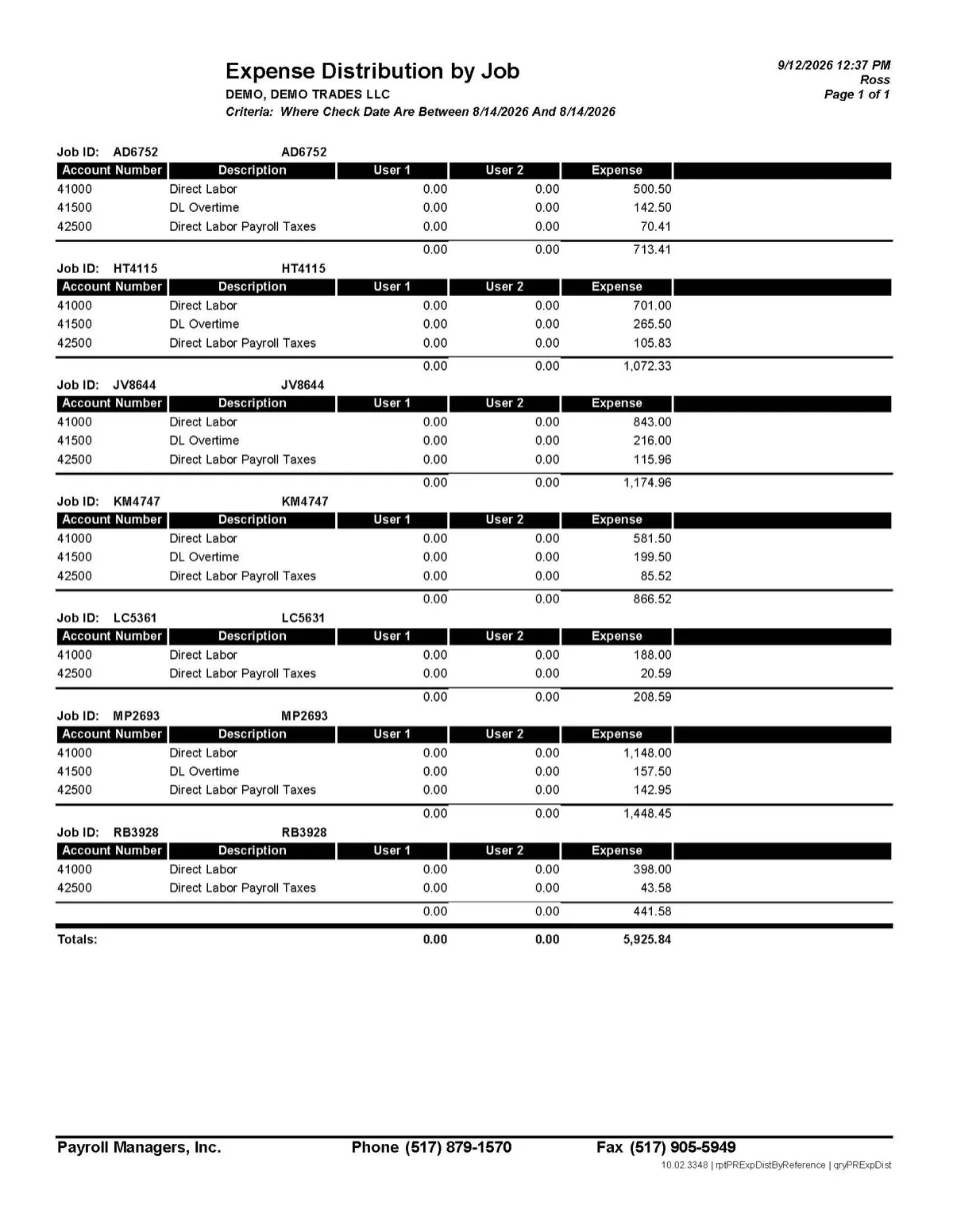
Your employees may work on multiple jobs, in multiple locations, under different classifications — sometimes in the same pay period. We can preserve that detail through payroll and into your accounting system.
The workflow
From Timecard to Job Cost Without Re-Keying
01
Import Time
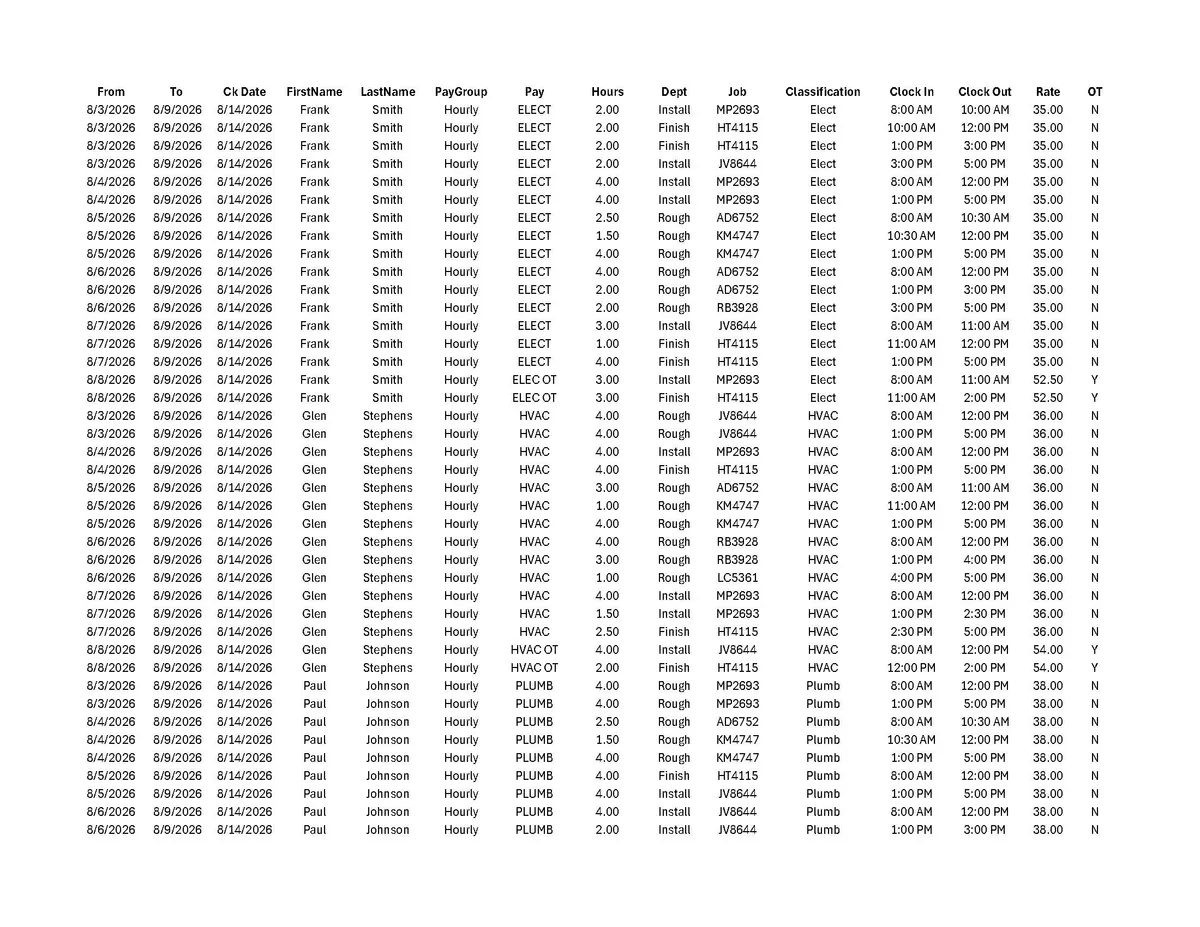
Approved time comes out of your timekeeping system and into payroll.
02
Process Payroll
Unlimited pay lines and deduction lines for complex earning rules.
03
Allocate Labor
Each line carries the job, date, location, department, and classification it belongs to.
04
Export
Payroll and labor-cost data goes to QuickBooks Desktop, QBO, or your system.
Allocation depth
Track the Detail Your Business Needs
Allocate labor at the level your accounting and job-cost system actually requires — not the level a payroll platform is willing to give you.
Hours
Units
Date
Job
Location
Department
Division
Title
Classification
User Defined 1
User Defined 2
Auxiliary Tax 1
Auxiliary Tax 2
Unlimited pay lines
One employee is not limited to one row. Allocations run as deep as the work does.
Unlimited deduction lines
For employers with complex benefit, union, garnishment, or other deduction structures.
Custom fields
Two user-defined dimensions, plus auxiliary tax and liability allocation.
Subcontractors too
Subcontractor payments carry the same job, date, location, department, and classification detail, and land in your accounting system the same way.
A realistic example
One Employee. Multiple Jobs. One Payroll.
This is a single employee inside a single weekly payroll. Every line keeps the job, date, location, and classification it was worked under — and every line arrives in accounting that way.
| Date | Job | Location | Classification | Hours |
|---|---|---|---|---|
| 09/01 | Cioe Project | Jackson | Plumber | 8.00 |
| 09/02 | Martinelli Project | Chelsea | Electrical | 6.00 |
| 09/03 | Canetta Project | Ann Arbor | Concrete Work | 4.00 |
| 09/04 | Wackell Project | Jackson | General Labor | 10.00 |
| Total — 4 jobs, 3 locations, 4 classifications | 28.00 | |||
Certified payroll
Certified Payroll That Adapts to the Job
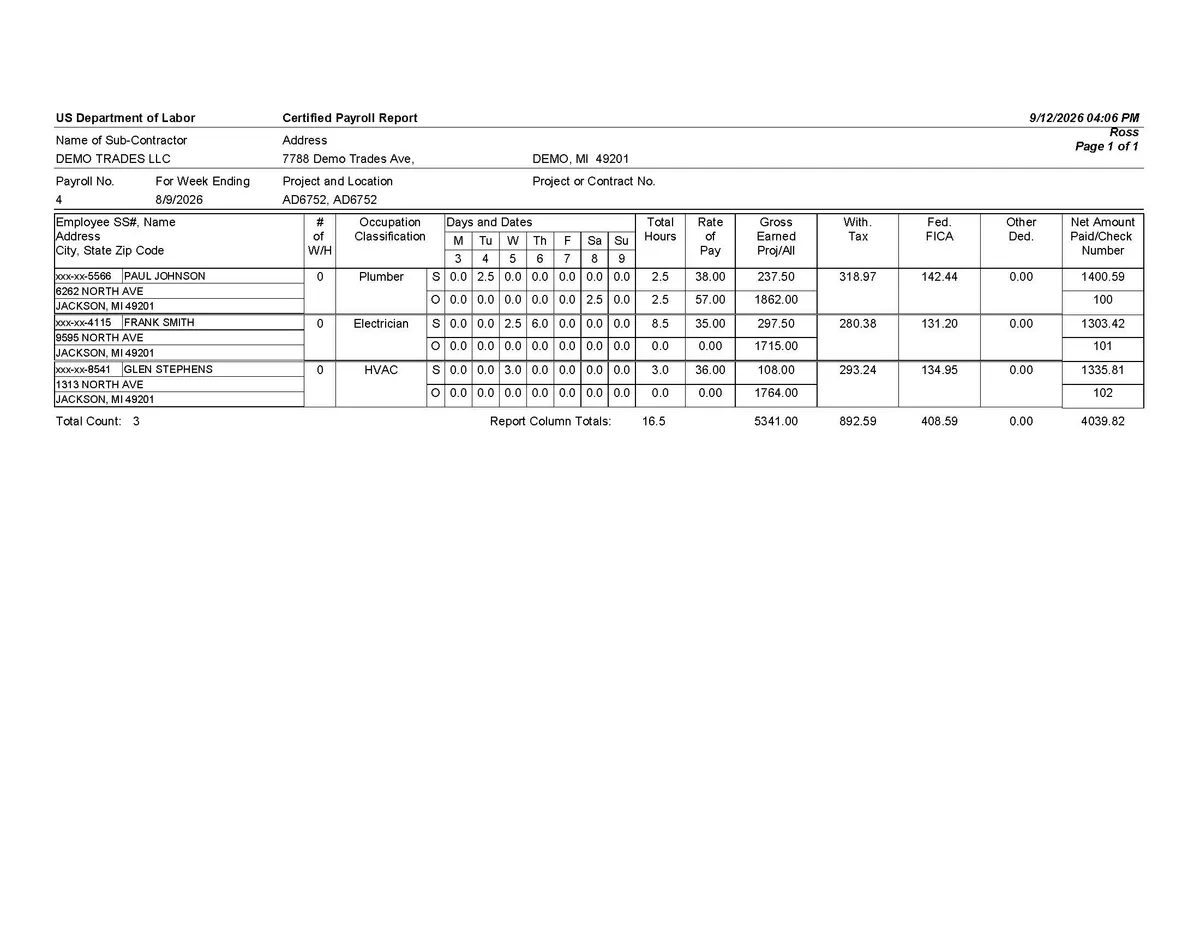
Certified and union payrolls often require more than a standard payroll report. My Payroll Managers has broad certified-payroll reporting capabilities and can modify reports as needed. Our allocation structure preserves detail by date, job, classification, and location — so the reporting can match the way the work was actually performed.
Reporting flexibility
Reports can be modified rather than forcing your payroll into a fixed template.
Date-level allocation
Day-by-day detail is what union and prevailing-wage workflows depend on.
Classification changes mid-week
An employee who works two classifications in one week is reported as two classifications.

Accounting
Payroll Should Feed Accounting — Not Create More Data Entry
We export payroll and labor-cost data to QuickBooks Desktop, QuickBooks Online, and other accounting systems. We review your export and import formats with you during setup and confirm the workflow before you switch.
QuickBooks Desktop
Still the system of record for many job-costing businesses. It is not an afterthought here.
QuickBooks Online
Payroll and labor-cost data exported in the structure your file expects.
Other accounting systems
Tell us what you run. We will look at the import format and tell you honestly whether it works.
Common questions
Before you move your payroll
Can you track payroll by job or project?
Yes. Payroll can be allocated by job and also by hours, units, date, location, department, division, title, classification, user-defined fields, and other payroll dimensions.
Can one employee work on several jobs in the same payroll?
Yes. Payroll lines can be allocated across multiple jobs and other dimensions within the same pay period. We do not limit the number of pay lines on a paycheck, which means we do not limit the number of jobs a paycheck can have.
Can you import time from your timekeeping system?
Yes. If your timekeeping system can export the time data, we can import it into payroll. We review the available export format with you during setup.
Can you pay subcontractors as well?
Yes. Subcontractor payments carry the same tracking as payroll — job, date, location, department, and classification — and go into your accounting system the same way.
Can payroll export to QuickBooks?
Yes. Payroll and accounting data can be exported to QuickBooks Desktop, QuickBooks Online, and other accounting systems.
Can you handle certified payroll?
Yes. My Payroll Managers has broad certified-payroll reporting capabilities and can modify reports as needed. Detailed date, job, and classification allocation supports complex certified and union payroll workflows.
Do we have to change our accounting system?
No. Or at least, we have not yet been asked about a system that could not take imports.
Do we have to change our timekeeping system?
If your system tracks what you need and can export it, then no. If it fails on both counts, maybe we should talk about a switch.
Show Us Your Current Payroll
Give us a quick look at how time moves from your field or timekeeping system, through payroll, and into accounting. We will tell you where we can simplify the process.
Personal payroll service for businesses whose payroll is anything but simple. Job costing, certified payroll, timekeeping imports, and accounting exports.
Services
Get started
My Payroll Managers is a payroll service company. Timekeeping and accounting compatibility is confirmed during setup based on your systems' available import and export formats. Certified-payroll capability refers to broad reporting and report modification; specific jurisdictional forms and filing methods are confirmed case by case.
© 2026 My Payroll Managers · mypayrollmanagers.com